YOUR SHARED COMPARISON

Pitch vs Gamma vs Canva

Compare the same facts, then choose for your own task. There is no universal winner.

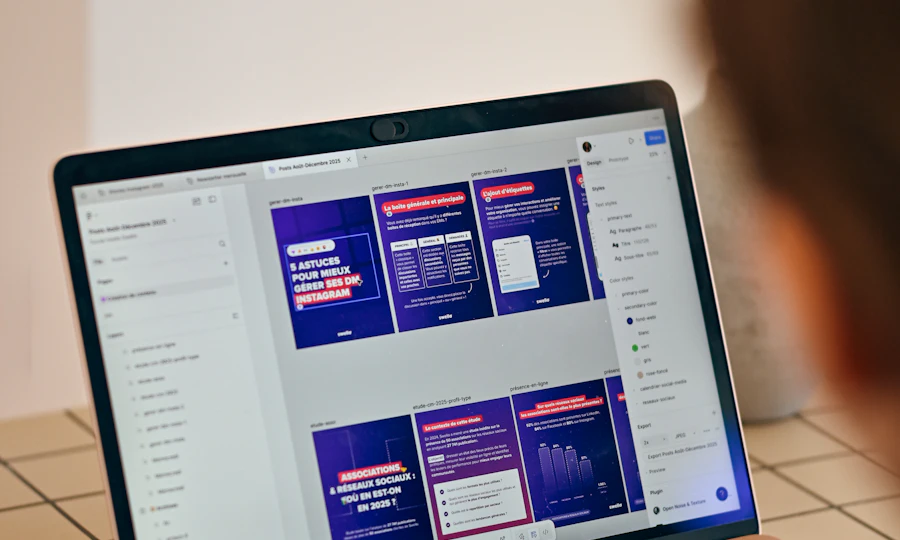
A laptop screen with colourful presentation slides arranged in a design tool.
THE DECISION FIRST

Which route fits your job?

These tools serve different roles. Choose the kind of output you need before comparing allowances or prices.

A laptop screen with colourful presentation slides arranged in a design tool.Editable presentations and collaborative slide decks

Choose it for
Editable presentations and collaborative slide decks
Free access · Ongoing free plan
Free: unlimited presentations and 100 one-off AI credits that do not renew. Branded PDF exports; other export formats and sharing features vary by plan.
Cost to plan for
Free plan; check current paid pricing.
Paid amounts depend on plan and billing; confirm the final UK checkout total.
Main trade-off
Free AI credits do not renew; free PDF exports carry Pitch branding.
Your first test
Try one small example of your task. Inspect the output, export, usage and any manual work before committing.

Plan source checked 17 October 2026.

Check official plans ↗
A laptop screen with colourful presentation slides arranged in a design tool.Presentations, documents and web pages
Choose it for
Presentations, documents and web pages
Free access · Ongoing free plan
Up to 10 slides per prompt. Paid Plus removes Gamma branding.
Cost to plan for
Free; Plus, Pro and Ultra paid tiers.
Plan tier, AI usage and workspace members.
Main trade-off
Inspect every fact and check export and branding restrictions
Your first test
Try one small example of your task. Inspect the output, export, usage and any manual work before committing.

Plan source checked 2 October 2026.

Check official plans ↗
Colourful paints and brushes beside a sketchbook.Design visual content
Choose it for
Design and visual content
Free access · Ongoing free plan
5 GB storage and limited AI usage; premium content and higher allowances are paid.
Cost to plan for
Free; paid prices vary by region and billing option.
Plan tier and seats; review premium asset and AI allowances.
Main trade-off
Check premium asset licensing and export features before upgrading
Your first test
Create one readable graphic. Check the phone preview, premium assets and the exported file.

Plan source checked 2 October 2026.

Check official plans ↗

Editorial starting points, not a measured product ranking. Prices can use different billing terms, seats or usage units; confirm the total for your workload.

The facts, side by side

Scroll the table on smaller screens. Plan facts retain their source check dates; missing information is shown as unconfirmed.

Compare by
Choose this whenEditable presentations and collaborative slide decksPresentations, documents and web pagesYou want an editable layout for a social post, flyer or presentation.
Specific checkFree AI credits do not renew; free PDF exports carry Pitch branding.Inspect every fact and check export and branding restrictionsPaid elements and shared AI limits can change what exports on Free.
Best forEditable presentations and collaborative slide decksPresentations, documents and web pagesDesign and visual content
PlansFree plan; check current paid pricing.Free; Plus, Pro and Ultra paid tiers.Free; paid prices vary by region and billing option.
Free access and limitsFree: unlimited presentations and 100 one-off AI credits that do not renew. Branded PDF exports; other export formats and sharing features vary by plan.Up to 10 slides per prompt. Paid Plus removes Gamma branding.5 GB storage and limited AI usage; premium content and higher allowances are paid.
Cost basisPaid amounts depend on plan and billing; confirm the final UK checkout total.Plan tier, AI usage and workspace members.Plan tier and seats; review premium asset and AI allowances.
Plan check17 October 20262 October 20262 October 2026
Try first (editorial suggestion)Try one small task using material you can verify.Try one small task using material you can verify.Make one post with your own image and check the complete export.
Use casespresentations · slide decks · pitch decks · presentation templatespresentations · documents · web pages · business storytellingdesign · presentations · social content · marketing assets
FeaturesPresentation editor · AI-assisted slide creation · Sharing links · Template reuseAI presentation generation · document creation · web page creation · visual layoutstemplates · visual design · presentation creation · AI-assisted creation
StrengthsBuild and revise a deck with reusable layouts and collaborators.Turn a structured brief into a presentation · Use the linked official sources to confirm the features needed for your workflow.Build consistent visual assets from templates · Use the linked official sources to confirm the features needed for your workflow.
What to checkFree AI credits do not renew; free PDF exports carry Pitch branding. · PowerPoint export and advanced sharing features depend on the paid plan; check the required format before subscribing.Inspect every fact and check export and branding restrictions · Availability and allowances can change; check the current plan before committing.Check premium asset licensing and export features before upgrading · Availability and allowances can change; check the current plan before committing.
Platformswebwebweb · iOS · Android · Windows · Mac

Editorial guidance · no hands-on review claimed. Open each tool page for official sources and alternatives.

THE OTHER FEW

Find the few things worth knowing.

Explore AI tools, software and technology through official sources, clear trade-offs and practical comparisons, so you can find the few that matter to your task.

Popular searches:

🔥 Fresh Few

Recently added to our catalogue, with a reason to explore each one.

💎 Hidden Gems

Editorial alternatives with a specific reason to consider them.

📊 Popular Categories

More from The Other Few
Personal Few

Build the few tools that work together.

Describe the outcome, not the software. The Other Few turns the job into a practical stack, keeps overlaps visible, and explains the trade-offs.

Stack suggestions are task-fit decisions, not product rankings. Commercial relationships must never change compatibility.
READY

Tell us the outcome.

We'll break it into jobs, choose the fewest sensible tools and show the trade-offs.

Evidence-first: current pricing, feature availability and platform support should be shown only when verified from an appropriate source.
THE OTHER FEW · INTELLIGENCE LAYER

From task to decision.

The shortlist now explains the fit, the trade-offs and what to do next.

PERSONALISED FIT
✦

Task understanding

Translate natural-language goals into task signals before matching products.

GoalUse caseConstraints
◎

Compatibility

Show why a tool fits this search instead of presenting a permanent product score.

PlatformExperiencePriority
↗

Decision path

Move naturally from shortlist to profile, alternatives, compare and saved tools.

ExploreCompareSave
DISCOVERY

Go beyond the shortlist.

Browse editorial collections when you want to explore rather than solve one task.

Fresh FewOnly products with a genuine freshness signal.Explore →
Hidden GemsInteresting products that deserve a closer look.Explore →
Popular CategoriesStart with the job, then narrow to the Few.Browse →
VERIFIED SOURCES · EDITORIAL FIT · NO PAID RANKING
RECOMMENDATION GRAPH

See why the Few connect.

The recommendation layer connects tasks, constraints, products, alternatives, workflows and evidence without turning the catalogue into a popularity ranking.

GRAPH ACTIVE
YOUR TASKgoal + constraintsTASKFITTOOLEVIDENCE intentexperienceplatformpriorityproductalternativesourcefreshness
EXAMPLE DECISION PATH
1 · GoalBuild a website for a small business.
2 · ConstraintsBeginner · web · low-code · ease.
3 · Candidate setReplit · Lovable · Claude — narrowed before presentation.
4 · Trade-offLovable favours simplicity; Replit offers more control; Claude is broader rather than purpose-built for the build.
Compatibility is task-specific. It is not a permanent product rating.

Graph signals

These are the relationships the engine can reason over as the catalogue grows.

Goal / intentConstraintTask fitAlternativeWorkflow overlapEvidenceFreshnessSaved context
Important: the graph does not invent evidence. Unsupported claims remain unsupported until verified.
PERSONAL DECISION LAYER

Make the decision smaller.

Bring your goal, saved tools, workflows and fresh changes together. The Other Few narrows the decision without pretending there is one universal winner.
● Decision context ready
Launch a businessBuild a websiteCreate videosResearch & decide
GoalWaiting
ConstraintsWaiting
Your FewLocal saves
ChangesFreshness ready
Start with the outcome.

We'll turn it into a smaller, clearer decision using the intelligence already built into The Other Few.
Fit is contextual. Editorial judgement, evidence and commercial relationships remain separate.Private on this device.
Intelligence Core
Make the catalogue smarter, not just bigger.
The intelligence layer now treats products, tasks, constraints, alternatives and workflows as connected evidence. Expansion is staged into verification lanes rather than filling the catalogue with unverified entries.
18 core records · verification-first
18Core records
7Categories covered
14Relationship types
0Fabricated records

Connected catalogue

Core products are connected to the tasks and categories they are already structured to serve.

Expansion lanes

These are research lanes, not unpublished product claims. A lane becomes catalogue data only after source verification and taxonomy review.
Editorial rule: catalogue breadth never outranks evidence quality. A product can enter the research queue without entering the public Few.
Intelligence Core

One brain. Every decision.

The catalogue, Finder, Decision Engine, workflows, Your Few and freshness signals now have a shared conceptual layer. The goal is not more results — it is better decisions with fewer tools.
● CORE MODEL READY

Decision graph

The same product can play different roles depending on the user's outcome and constraints.
18core products
7active categories
0saved tools
0watched tools
GoalOutcome
IntentTask
ConstraintsFit limits
ProductsCatalogue
DecisionFew