FIND YOUR NEXT SMALL WIN

What would you like to learn today?

Search the short courses by task, topic, available time or saved progress.

SMALL STEPS. REAL SKILLS.

Start something new.

Write, create, research or start your website, socials and YouTube. Choose your level, then one small project.

New to it all? Learn the basics first. No coding or AI knowledge needed.

New to AI? Start here →My learning →Prompt library →

A welcoming silver robot offering an open hand
THE OTHER FEW ACADEMY · FREE LEARNING

Watch it. Try it. Build a skill.

Follow our six-lesson AI starter course, keep your own practice notes and choose a useful content or business project when you’re ready.

Learn at your own pace. Academy notes and progress save in this browser.

LEARN IT. THEN MAKE IT YOURS.

What would you like to make?

Choose a useful result. Start with a prepared draft or use optional AI, then edit and keep your work.

No account needed
A website displayed on a laptop at a bright wooden desk.CREATE

Creator Studio

One idea becomes a Short script, captions, thumbnail brief and matching X post.

Open the workspace to begin.

Open Creator Studio →

Glass office towers rising into a bright sky.BUILD

Small Business Builder

Shape an offer, prepare a website brief and plan a small first launch.

Open the workspace to begin.

Open Business Builder →
A website displayed on a laptop at a bright wooden desk.PRACTISE

Practice Coach

Try an email, rewrite, summary or planning exercise. Improve the prompt and check the answer.

Open the workspace to begin.

Open Practice Coach →

Drafts save on this browser only. Download a backup inside each workspace to keep or move your work.

SEE IT. TRY IT. MAKE IT YOURS.

New to AI? Try one easy example.

See what to ask, see the answer, then have a go.

Beginner: start from zero

No experience needed. Set up, try one small task and check it works.

A website displayed on a laptop at a bright wooden desk.Website

Make your first website

A simple one-page website you can preview and share when you are ready.

3 short steps · work at your pace

Not started

Start website →
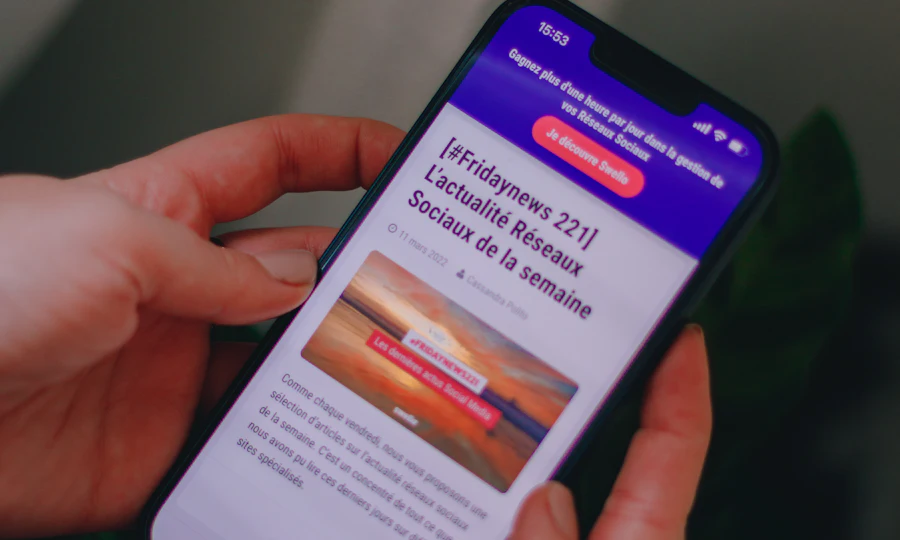
A person reading a social media planning article on their phone.Socials

Start your first social account

One clear profile and a first post ready to publish.

3 short steps · work at your pace

Not started

Start socials →
A video camera with a microphone ready for filming.YouTube

Start YouTube with your first video

A channel and one short practice video uploaded privately.

3 short steps · work at your pace

Not started

Start youtube →
A notebook and fountain pen ready for a first draft.Writing

Write a clear email with AI

One short email, checked against your own facts and ready to send.

3 short steps · work at your pace

Not started

Start writing →
Colourful paints and brushes beside a sketchbook.Images

Create your first AI image

One checked practice illustration and the prompt that made it.

3 short steps · work at your pace

Not started

Start images →
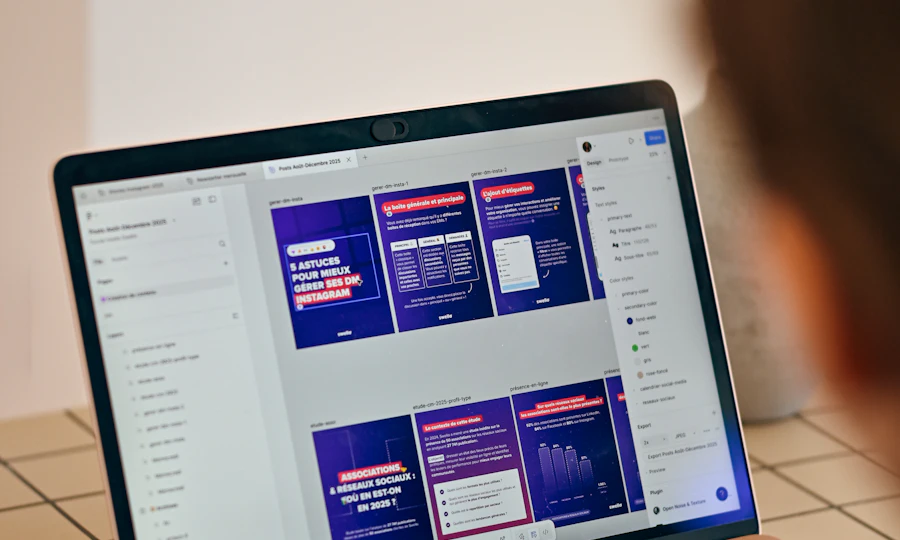
A laptop screen with colourful presentation slides arranged in a design tool.Presentations

Turn your notes into five clear slides

A checked five-slide presentation you can open and practise aloud.

3 short steps · work at your pace

Not started

Start presentations →
People studying at wooden tables in a bright library.Research & summaries

Turn a document into useful notes

A three-point summary, checked against its source, with missing information kept separate.

3 short steps · work at your pace

Not started

Start research & summaries →

Free guides · No site account needed · Checklists and notes save in this browser only. Copy your notes to keep them.

Photo credits

Workspace and creative photography from Unsplash.

FOR SMALL BUSINESSES & STARTUPS

Build useful business skills.

Shape your offer, organise enquiries, plan your marketing, create animations and design thumbnails. Six free practical courses, a product shortlist and your existing Startup Launchpad.

Explore business products & courses →
More learning: AI, tools and longer courses

17 short courses · 1 flagship course · Optional extra practice

START HERE · OUR FLAGSHIP BEGINNER COURSE

AI for everyday life and small business

Six connected modules. One fictional studio project. Learn to write a useful brief, check an answer, create content and plan the next steps.

Free to read and practiseAbout 2 hoursWorkbook saves in this browser

0 of 6 module checklists reviewed.

NOT SURE WHERE TO START?

Choose what you want to achieve

Follow a short learning path or pick any course below. Do one lesson at a time; the total times are estimates.

A website displayed on a laptop at a bright wooden desk.AI basics

Get confident with AI

Understand what AI can do, write a useful brief and check the answer.

3 courses · about 55 min in total

Choose a course and keep your place.

Explore this path →

A developer workspace with a laptop displaying code.Create content

Make your first content kit

Draft a useful post, create its graphic and organise your next ideas.

3 courses · about 70 min in total

Choose a course and keep your place.

Explore this path →
People studying at wooden tables in a bright library.Research

Research with evidence

Check a claim, work from supplied sources and build a small research brief.

3 courses · about 60 min in total

Choose a course and keep your place.

Explore this path →
A developer workspace with a laptop displaying code.Save time

Plan and test a small workflow

Map a repeat task, practise moving data and build a simple feedback form.

3 courses · about 70 min in total

Choose a course and keep your place.

Explore this path →
GOT FIVE MINUTES?

Practise one useful decision

Spot an invented claim, fix a weak brief or reason through a workflow problem. Get an explanation and compare your reasoning with a worked example.

Try today’s quick practice →

Rotates through 11 original scenarios. No sign-up or tool account needed.

Explore individual tool lessons

AI basics · BEGINNER
AI basics

Understand AI and choose your first useful task

A small task brief with supplied facts, a clear output and a way to judge the result.

Free courseAbout 15 min4 steps

Not started

Start learning →
AI basics · BEGINNER
Source checking

Check an AI answer before you trust it

A checked paragraph with each important claim linked to evidence or marked unconfirmed.

Free courseAbout 20 min4 steps

Not started

Start learning →
Automation · BEGINNER
Workflow planning

Plan a simple automation before building it

A small workflow brief with an input, a rule, an output and three test cases.

Free courseAbout 15 min4 steps

Not started

Start learning →
Writing · BEGINNER
ChatGPT

Turn rough notes into a useful content draft

One short, reviewed post and a reusable prompt built around your own facts.

Free courseAbout 20 min4 steps

Not started

Start learning →
Automation · BEGINNER
Make

Build your first two-step practice scenario

A manually tested scenario that passes a fictional value from one module to another.

Free courseAbout 30 min4 steps

Not started

Start learning →
Organisation · BEGINNER
Notion

Build a simple weekly content planner

A private three-post planner with statuses, dates and a filtered view for unfinished work.

Free courseAbout 25 min4 steps

Not started

Start learning →
Research · BEGINNER
Gemini Notebook

Turn source notes into a checked summary

A short summary traced back to two original practice sources, with an unanswered question clearly marked.

Free courseAbout 20 min4 steps

Not started

Start learning →
Research · BEGINNER
Perplexity

Build a research brief you can verify

A three-point brief with original source links, dates and a clear note about what the evidence does not establish.

Free courseAbout 20 min4 steps

Not started

Start learning →
Design · BEGINNER
Photopea

Create a simple graphic and export it for the web

An original 1200 × 630 graphic, an exported PNG and a layered PSD you can edit again.

Free courseAbout 25 min4 steps

Not started

Start learning →
Business · BEGINNER
Tally

Build and test a three-question feedback form

A working practice form with required questions, a thank-you message and one checked test response.

Free courseAbout 25 min4 steps

Not started

Start learning →
Business · BEGINNER
Business skills

Turn a business idea into a clear offer

A one-paragraph offer, a list of assumptions and three customer questions.

Free courseAbout 20 min4 steps

Not started

Start learning →
Business · BEGINNER
Business skills

Organise enquiries without losing the next step

A tested five-column enquiry tracker and a draft reply template.

Free courseAbout 25 min4 steps

Not started

Start learning →
Business · BEGINNER
Business skills

Plan a useful week of business content

A three-post plan with drafts, a call to action and a review measure.

Free courseAbout 25 min4 steps

Not started

Start learning →
Business · BEGINNER
Business skills

Build a weekly work board you will keep using

A simple work board with three priorities, clear completion rules and a weekly review.

Free courseAbout 20 min4 steps

Not started

Start learning →
Animation · BEGINNER
Adobe Express

Create a short animated business promo

A silent, three-scene promotional draft exported as an MP4, with a readable final message.

Free courseAbout 30 min4 steps

Not started

Start learning →
Thumbnail creation · BEGINNER
Canva

Design a clear YouTube thumbnail

Two truthful thumbnail variants and a reusable editable design, with a checked JPG or PNG export.

Free courseAbout 30 min4 steps

Not started

Start learning →

Make your first short-form video

Follow a worked example with copyable prompts and a saved checklist.

Open the short-form content guide →

THE OTHER FEW

Find the few things worth knowing.

Explore AI tools, software and technology through official sources, clear trade-offs and practical comparisons, so you can find the few that matter to your task.

Popular searches:

🔥 Fresh Few

Recently added to our catalogue, with a reason to explore each one.

💎 Hidden Gems

Editorial alternatives with a specific reason to consider them.

📊 Popular Categories

More from The Other Few
Personal Few

Build the few tools that work together.

Describe the outcome, not the software. The Other Few turns the job into a practical stack, keeps overlaps visible, and explains the trade-offs.

Stack suggestions are task-fit decisions, not product rankings. Commercial relationships must never change compatibility.
READY

Tell us the outcome.

We'll break it into jobs, choose the fewest sensible tools and show the trade-offs.

Evidence-first: current pricing, feature availability and platform support should be shown only when verified from an appropriate source.
THE OTHER FEW · INTELLIGENCE LAYER

From task to decision.

The shortlist now explains the fit, the trade-offs and what to do next.

PERSONALISED FIT
✦

Task understanding

Translate natural-language goals into task signals before matching products.

GoalUse caseConstraints
◎

Compatibility

Show why a tool fits this search instead of presenting a permanent product score.

PlatformExperiencePriority
↗

Decision path

Move naturally from shortlist to profile, alternatives, compare and saved tools.

ExploreCompareSave
DISCOVERY

Go beyond the shortlist.

Browse editorial collections when you want to explore rather than solve one task.

Fresh FewOnly products with a genuine freshness signal.Explore →
Hidden GemsInteresting products that deserve a closer look.Explore →
Popular CategoriesStart with the job, then narrow to the Few.Browse →
VERIFIED SOURCES · EDITORIAL FIT · NO PAID RANKING
RECOMMENDATION GRAPH

See why the Few connect.

The recommendation layer connects tasks, constraints, products, alternatives, workflows and evidence without turning the catalogue into a popularity ranking.

GRAPH ACTIVE
YOUR TASKgoal + constraintsTASKFITTOOLEVIDENCE intentexperienceplatformpriorityproductalternativesourcefreshness
EXAMPLE DECISION PATH
1 · GoalBuild a website for a small business.
2 · ConstraintsBeginner · web · low-code · ease.
3 · Candidate setReplit · Lovable · Claude — narrowed before presentation.
4 · Trade-offLovable favours simplicity; Replit offers more control; Claude is broader rather than purpose-built for the build.
Compatibility is task-specific. It is not a permanent product rating.

Graph signals

These are the relationships the engine can reason over as the catalogue grows.

Goal / intentConstraintTask fitAlternativeWorkflow overlapEvidenceFreshnessSaved context
Important: the graph does not invent evidence. Unsupported claims remain unsupported until verified.
PERSONAL DECISION LAYER

Make the decision smaller.

Bring your goal, saved tools, workflows and fresh changes together. The Other Few narrows the decision without pretending there is one universal winner.
● Decision context ready
Launch a businessBuild a websiteCreate videosResearch & decide
GoalWaiting
ConstraintsWaiting
Your FewLocal saves
ChangesFreshness ready
Start with the outcome.

We'll turn it into a smaller, clearer decision using the intelligence already built into The Other Few.
Fit is contextual. Editorial judgement, evidence and commercial relationships remain separate.Private on this device.
Intelligence Core
Make the catalogue smarter, not just bigger.
The intelligence layer now treats products, tasks, constraints, alternatives and workflows as connected evidence. Expansion is staged into verification lanes rather than filling the catalogue with unverified entries.
18 core records · verification-first
18Core records
7Categories covered
14Relationship types
0Fabricated records

Connected catalogue

Core products are connected to the tasks and categories they are already structured to serve.

Expansion lanes

These are research lanes, not unpublished product claims. A lane becomes catalogue data only after source verification and taxonomy review.
Editorial rule: catalogue breadth never outranks evidence quality. A product can enter the research queue without entering the public Few.
Intelligence Core

One brain. Every decision.

The catalogue, Finder, Decision Engine, workflows, Your Few and freshness signals now have a shared conceptual layer. The goal is not more results — it is better decisions with fewer tools.
● CORE MODEL READY

Decision graph

The same product can play different roles depending on the user's outcome and constraints.
18core products
7active categories
0saved tools
0watched tools
GoalOutcome
IntentTask
ConstraintsFit limits
ProductsCatalogue
DecisionFew