Task understanding
Translate natural-language goals into task signals before matching products.
Two truthful thumbnail variants and a reusable editable design, with a checked JPG or PNG export.
About 30 minutes · Work at your own pace. Use the example to understand the structure, then make the result your own.
Want a quick practice design before opening an external editor? Edit your headline, add a photo and download a 1280 × 720 PNG directly on The Other Few. No account is needed for our maker.
Open the free thumbnail maker →Watch the headline change, Undo and PNG download steps in a ready-made design. Then use the lesson below to build your own.
39 seconds · Recorded by Fred · AI voiceover and on-screen captions. This shows editing an existing design and starting a download. Open the downloaded PNG afterwards to check it; that final check is not shown.
Here is how to edit and download a ready-made thumbnail in Canva on your phone. Select the headline to edit its wording. In this example, five quick becomes five easy. Keep the promise short and make sure it matches your video. Use the curved left arrow to undo the change. When the wording is ready, close the keyboard and review the whole design. Open Share, then choose Download and PNG. Wait while Canva prepares the file. After downloading, open the PNG on your device and check the spelling, crop and readability before uploading it. That is your next check.
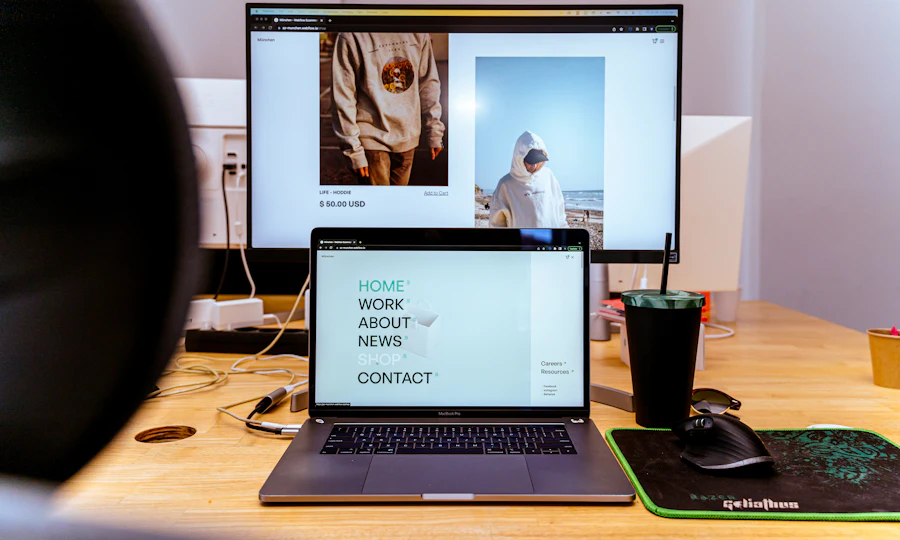
Illustrative layout using a contextual workspace photograph, not a screenshot of a course result. For your own video, use an authentic frame that shows its actual subject.
A fictional brief and an adaptation prompt. This text does not run an AI tool or generate a finished asset. Keep your own facts and review the result.
A Canva Free account, your own video frame or photo, and a browser or Canva app. Use a blank layout and free elements. Uploading a custom thumbnail requires eligible YouTube access; you can finish this design exercise without publishing.
This lesson makes a static thumbnail for a regular landscape YouTube video. Shorts and podcast artwork use different shapes. Free-plan background removal and some templates or assets may be unavailable; use a rectangular photo crop instead of buying an upgrade.
Original practice lesson · Official references checked 18 October 2026 · Button names may differ between app versions.
0 of 4 steps complete.
A thumbnail should help someone recognise what the video actually delivers.
Fictional video: building a simple one-page business website.
Headline: YOUR FIRST BUSINESS PAGE
Subject: an actual frame showing the finished practice page.
Avoid: GUARANTEED SALES if the video provides no evidence.
Use one subject, strong contrast and space for a short headline.
Left: a short headline on a dark panel.
Right: the genuine finished page or result.
Use one accent colour that complements the image rather than competing with it.
Compare a single change so you can explain what improved.
A: YOUR FIRST BUSINESS PAGE
B: BUILD A CLEARER PAGE
Same image, colours and layout.
Review: Can I read the words? Is the subject clear? Does it match the video?
A thumbnail export is a static image, even if you also create an animated promo.
Keep: editable design + variant A + variant B + chosen JPG/PNG.
File too large? Try a lower-quality JPG, then check that the words remain sharp.
Regular video: 16:9; Shorts: 9:16; podcast artwork: 1:1.
Your fictional video demonstrates a simple menu page. One thumbnail says “Guaranteed £10,000.00 a week,” while another shows the page and says “Your first business page.”
Original fictional scenario · choose an answer, then read the explanation.
A genuine frame of the menu page, a short readable headline and an uncluttered layout. Keep the editable file and export a checked JPG or PNG.
Try it with a new example: Compare two truthful thumbnail variants and explain which is easier to understand.
This checks one practice decision, not your real work. Answers save only in this browser when storage is available.
Record what you made, what you checked and what you want to improve. These notes stay in this browser; they are not sent to us or synced to another device. Clearing browser data removes them.
Optional · up to 2,000 characters.
Your checklist is complete. Keep your finished result and try the same method with your next small task.
This records your own practice progress; it is not a qualification or certificate.
Use YouTube’s current help for dimensions, upload limits and eligibility. Provider marketing pages may show older specifications. Our layout exercise does not promise more clicks.
Open official learning ↗The practical brief and exercises are ours. Official references support the product guidance; we do not host the providers’ course content.
Checked 18 October 2026. Tool plans can change; consult the provider before choosing an upgrade. These beginner exercises have not been presented as certified or exhaustive product testing.
Progress saves in this browser. No site account needed.
Open the file you made and review each point. These checks record your own review; they do not grade your work or automatically complete the lesson.
Result checks save in this browser. Clearing browser data removes them; they do not sync across devices.
Explore AI tools, software and technology through official sources, clear trade-offs and practical comparisons, so you can find the few that matter to your task.
Recently added to our catalogue, with a reason to explore each one.
Editorial alternatives with a specific reason to consider them.
Describe the outcome, not the software. The Other Few turns the job into a practical stack, keeps overlaps visible, and explains the trade-offs.
We'll break it into jobs, choose the fewest sensible tools and show the trade-offs.
The shortlist now explains the fit, the trade-offs and what to do next.
Translate natural-language goals into task signals before matching products.
Show why a tool fits this search instead of presenting a permanent product score.
Move naturally from shortlist to profile, alternatives, compare and saved tools.
Browse editorial collections when you want to explore rather than solve one task.
The recommendation layer connects tasks, constraints, products, alternatives, workflows and evidence without turning the catalogue into a popularity ranking.
These are the relationships the engine can reason over as the catalogue grows.
With your permission, we use Google Analytics cookies to measure visits and interactions, such as page views, project progress, downloads and link clicks. This sends usage information to Google. You can reject analytics and still use the site, or change your choice using Analytics settings at the bottom of any page.