Task understanding
Translate natural-language goals into task signals before matching products.
A simple one-page website you can preview and share when you are ready.
Start step one ↓My learning →Prompt library →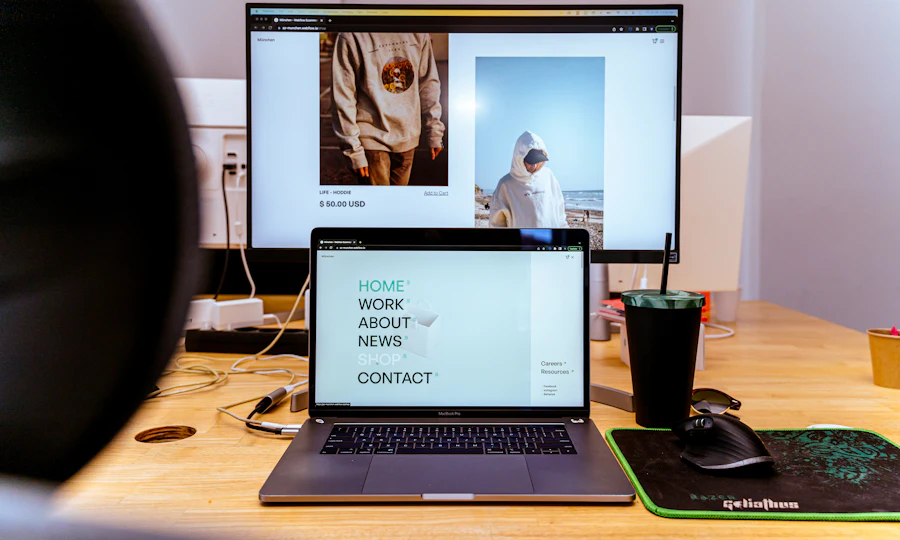
A free WordPress.com account and a browser. A laptop is easier for editing; a phone is fine for checking.
These guides are free. Use the free/manual route for practice; optional upgrades are your choice. Account access and app screens can vary.
Choose one starting tool. You do not need every product here. Check its current plan before starting; these are editorial matches, not measured product rankings.
0 of 3 steps checked
Start with one page. A visitor should quickly understand who it is for and what to do next.
Fictional example
Heading: Simple sketching for beginners
About: I share easy drawing ideas using a pencil and paper. Start with one small sketch.
Next action: See my latest drawing
WordPress.com is one example of a website builder: you change text and pictures without writing code.
Your first page
1. Heading
2. Short introduction
3. Your image (optional)
4. One working link
Preview means looking at the page as a visitor would. Saving a page and launching a whole site are different actions.
My final check
Can I read it on my phone?
Does the next-action link work?
Am I happy for other people to see this?
That is your three-step guide. Keep practising, or try the next level when you feel ready.
Welcome to my website. I do lots of creative things. Click here to find out more.
Simple pencil drawing for adults starting from scratch. See three easy drawing exercises you can try at home.
The second version names an audience, a useful result and a specific next step.
Choose an answer, then see the explanation. This checks the practice scenario, not your actual project.
Choose a hobby or service you know. Write a heading that names the audience, add two truthful sentences and one specific next-action link. Preview the page on a phone, then record the link you tested in your notes.
A saved page or page draft, one checked next action and a short note explaining who it helps.
THE OTHER FEW — Make your first website
Level: beginner
https://theotherfew.co.uk/learn/start/website/beginner

STEP 1: Decide what your page is for
Start with one page. A visitor should quickly understand who it is for and what to do next.
1. Open your notes and write who you want to help. Choose a hobby, portfolio or small business you know.
2. Write a heading, two sentences explaining your idea and one next action. Use the example as a shape, replacing every fictional detail.
3. Keep your first page to those three parts. You can add more later.
EXAMPLE
Fictional example
Heading: Simple sketching for beginners
About: I share easy drawing ideas using a pencil and paper. Start with one small sketch.
Next action: See my latest drawing
SELF-CHECK: I have a heading, a short introduction and one next action.

STEP 2: Put your words into a page
WordPress.com is one example of a website builder: you change text and pictures without writing code.
1. Open the official WordPress.com guide below and create an account if you need one. Choose the manual setup route and a free design.
2. Use a free WordPress.com address for practice. Skip paid domains and upgrades. Replace the home page text with your own three parts; remove sections you do not need.
3. Add one image you own if it helps, then save. Keep the site in Coming Soon mode while you practise.
EXAMPLE
Your first page
1. Heading
2. Short introduction
3. Your image (optional)
4. One working link
SELF-CHECK: My saved page contains my own words instead of the example text.

STEP 3: Preview it, then choose when to share
Preview means looking at the page as a visitor would. Saving a page and launching a whole site are different actions.
1. Use Preview and check the small-screen view. Read every line and tap your link. Fix anything too small or hard to understand.
2. Check there are no template instructions, private details or made-up claims left on the page.
3. When ready, follow the official launch guide to make the site Public. Open its address in a signed-out browser to check what visitors see. You can also keep it as a saved practice page for now.
EXAMPLE
My final check
Can I read it on my phone?
Does the next-action link work?
Am I happy for other people to see this?
SELF-CHECK: I checked my preview and know whether my site is still private or public.

YOUR OWN PRACTICE
Choose a hobby or service you know. Write a heading that names the audience, add two truthful sentences and one specific next-action link. Preview the page on a phone, then record the link you tested in your notes.
FINISH LINE: A saved page or page draft, one checked next action and a short note explaining who it helps.

Self-review only; this is not a qualification.
Saved only in this browser when storage is available. Clearing browser data removes it.
Ready to build on this? You can move up when you feel comfortable with these steps.
Try Intermediate website →Our examples and practice tasks are original. These references support the platform instructions. Checked 17 October 2026; screens and account features may change.
Workspace and creative photography from Unsplash.
Explore AI tools, software and technology through official sources, clear trade-offs and practical comparisons, so you can find the few that matter to your task.
Recently added to our catalogue, with a reason to explore each one.
Editorial alternatives with a specific reason to consider them.
Describe the outcome, not the software. The Other Few turns the job into a practical stack, keeps overlaps visible, and explains the trade-offs.
We'll break it into jobs, choose the fewest sensible tools and show the trade-offs.
The shortlist now explains the fit, the trade-offs and what to do next.
Translate natural-language goals into task signals before matching products.
Show why a tool fits this search instead of presenting a permanent product score.
Move naturally from shortlist to profile, alternatives, compare and saved tools.
Browse editorial collections when you want to explore rather than solve one task.
The recommendation layer connects tasks, constraints, products, alternatives, workflows and evidence without turning the catalogue into a popularity ranking.
These are the relationships the engine can reason over as the catalogue grows.
With your permission, we use Google Analytics cookies to measure visits and interactions, such as page views, project progress, downloads and link clicks. This sends usage information to Google. You can reject analytics and still use the site, or change your choice using Analytics settings at the bottom of any page.